 Blog · Design tips
What is a slide deck? Meaning, examples and how to build one
If you have ever been asked to “send over the deck” before a meeting, you already know how common the term is in business. But what is a slide deck exactly, and how is it different from a presentation? This guide covers the meaning, the main types with examples, and a step-by-step process for building one that people actually read.
What is a slide deck?
A slide deck is a collection of slides that work together to communicate one idea, story or proposal. Each slide covers a single point, and the slides are arranged in a deliberate order so the audience can follow the argument from start to finish. The word “deck” comes from a deck of cards: a stack of individual pieces that only make sense as a set.
Decks are usually created in tools like Microsoft PowerPoint, Google Slides, Keynote or Canva. A PowerPoint file is the most familiar format, but the concept is tool-independent. What defines a deck is the structure, not the software.
Slide deck vs. presentation
People often use “slide deck” and “presentation” as if they were the same thing. They overlap, but they are not identical.
- A slide deck is the material. It is the file: the slides, text, charts and images.
- A presentation is the event. It is the moment when someone stands in front of an audience, in a room or on a video call, and talks through the material.
A presentation may use a slide deck, but a deck can also live on its own. A reading deck is designed to be sent by email and understood without a speaker. A presenting deck is designed to support a speaker and usually contains less text. Knowing which one you are building changes almost every design decision.
Why slide decks matter in business
A good business deck does three jobs at once.
- It forces clarity. Turning an idea into ten to twenty slides makes you decide what really matters.
- It travels. A deck can be forwarded to a colleague, an investor or a customer who was never in the room.
- It supports decisions. Boards, executives and buyers use decks to compare options and approve budgets.
This is why decks show up in almost every part of a company, from sales and marketing to finance and product.
Types of slide decks, with examples
The best way to understand what a slide deck is in practice is to look at the most common kinds. Here are the ones you will meet most often, each with an example slide.
1. Pitch deck
A pitch deck is used to persuade investors or partners. It typically covers the problem, the solution, the market size, the business model, traction, the team and the funding ask. The standard length is 10 to 15 slides, and each slide carries one message.

2. Sales deck
A sales deck helps a salesperson explain a product to a prospect. It focuses on the customer’s pain points, how the product solves them, proof such as case studies, and clear next steps.

3. Board or executive deck
Board decks summarise performance, risks and decisions for senior leaders. They favour charts, KPIs and short written takeaways over decoration. An executive summary slide at the beginning is essential, because senior readers often stop after it.

4. Company or about-us deck
This deck introduces a business: its mission, history, services, clients and team. It is often sent to new partners or used in recruiting.

5. Proposal deck
A proposal deck responds to a specific client request. It restates the problem, presents the scope and timeline, and lays out pricing and terms.

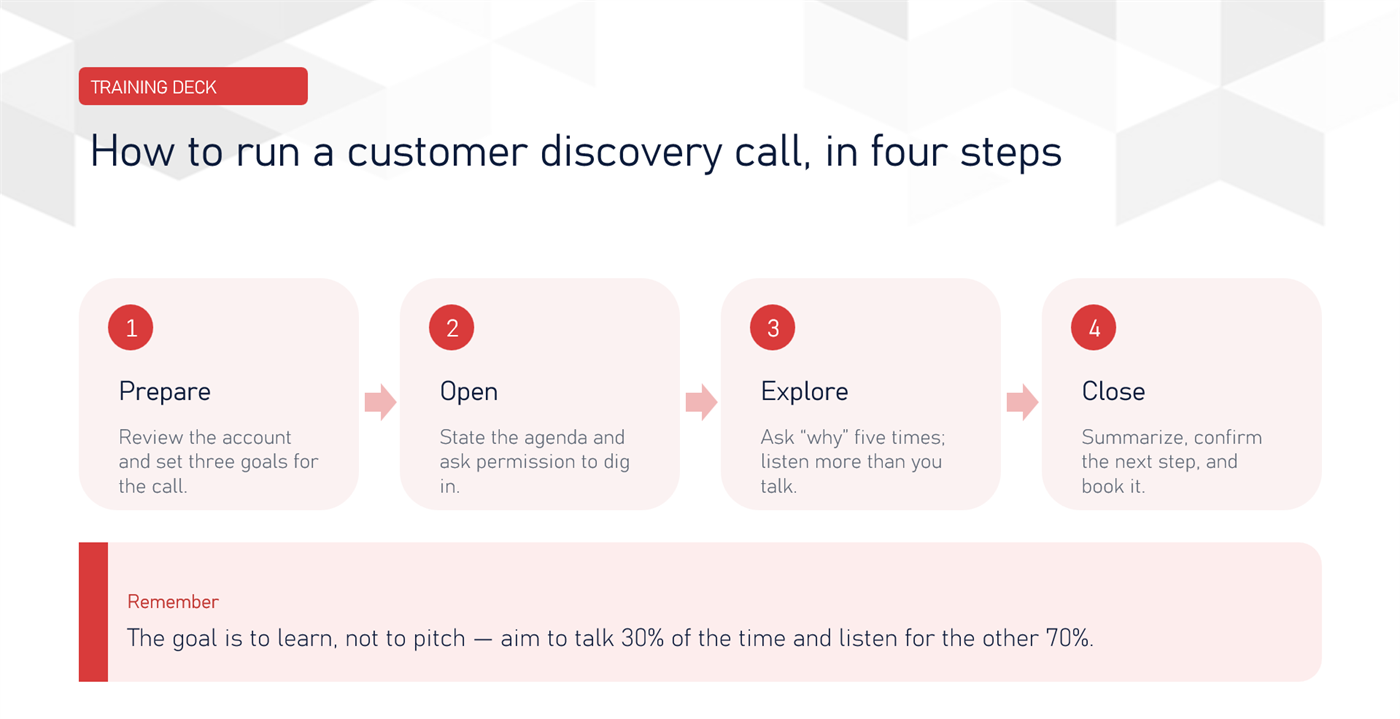
6. Training or educational deck
These decks teach a skill or process. They use more diagrams, step-by-step slides and summaries than other decks, and they are usually meant to be revisited later.
What makes a good slide deck?
When you review strong decks, the same qualities appear again and again.
- One idea per slide. If a slide needs two headlines, it should be two slides.
- A clear story. The deck moves from context to problem to solution to action.
- Visuals over text walls. Charts, icons, photos and diagrams communicate faster than paragraphs. A visual deck is easier to remember and easier to skim.
- Consistent design. The same fonts, colours and layout rules across all slides make the deck look professional.
- A strong opening and close. The first slide sets expectations, and the last slide tells the audience exactly what to do next.
How to build a slide deck, step by step
Step 1: Define the goal and audience
Write one sentence that finishes this phrase: “After reading this deck, the audience should…” Everything in the deck should support that sentence. Also decide whether the deck will be presented live or read alone.
Step 2: Outline before you open PowerPoint
List the slide titles first, in order. Read them in sequence: they should tell the story on their own. Good slide titles are full statements (“Revenue grew 42% in Q3”) rather than labels (“Revenue”).
Step 3: Choose a template
Start with a clean template with a simple layout and two or three brand colours. A good template saves hours, but avoid templates with heavy decoration that competes with your content.
Step 4: Build each slide around one message
Place the headline first, then add the single visual or data point that proves it. Keep body text to a few short lines. If you need more detail, move it to an appendix at the end.
Step 5: Use visuals with purpose
Choose the right chart for the data: line charts for trends, bar charts for comparisons, tables only when exact numbers matter. Use high-quality images and label every chart clearly.
Step 6: Edit ruthlessly
Cut every slide that does not move the story forward. Check spelling, alignment and numbers. Ask a colleague to look at it for two minutes and tell you the main message. If they cannot, simplify.
Step 7: Prepare for delivery or sharing
If you will present live, rehearse with a timer and add speaker notes. If you will send the deck, export it as a PDF so the layout stays intact on every device.
Common slide deck mistakes to avoid
- Too much text. Slides are not documents. If people are reading, they are not listening.
- Too many slides. More slides do not mean more value. Aim for the shortest deck that makes the case.
- No clear call to action. A deck without a next step is just information.
- Inconsistent formatting. Mixed fonts and misaligned elements signal carelessness.
- Weak data storytelling. Dumping raw tables on a slide forces the audience to do the analysis. Show the conclusion instead.
How long should a slide deck be?
There is no universal rule, but useful guidelines exist. Pitch decks run 10 to 15 slides. Sales and proposal decks usually land between 10 and 20. Board decks can be longer, but the main section should stay short, with details in an appendix. As a rule of thumb for live talks, plan roughly one to two minutes per slide.
Tools for creating slide decks
- Microsoft PowerPoint: the industry standard, with the widest range of templates and features.
- Google Slides: free and ideal for real-time collaboration.
- Keynote: polished animations and design on Apple devices.
- Canva: drag-and-drop design for non-designers, with thousands of layouts.
- AI-assisted tools: speed up first drafts, but always review the structure and facts yourself.
The best tool is the one your team can edit easily and share without friction.
When the deck matters and the deadline is short, the tool is only half the answer. Saije, our PowerPoint add-in, lets you mark up what each slide needs and hand it to a designer without leaving the file. Not sure what that costs? Read how presentation design is priced.
Frequently asked questions
What does slide deck mean?
A slide deck is a set of slides arranged to present or explain a topic. It can be shown live or shared as a file.
What is the difference between a slide deck and a PowerPoint?
PowerPoint is software. A slide deck is the content you create, and PowerPoint is only one of the tools you can use to build it.
What is a slide deck presentation?
It is a talk or meeting that uses a slide deck as its visual support. The deck is the material, and the presentation is the delivery.
How many slides should a slide deck have?
Most business decks work best between 10 and 20 slides. Keep the main story short and put extra detail in an appendix.
Final thoughts
Now that you know what a slide deck is, the different types and what strong ones have in common, you can build decks with more confidence. Start with a clear goal, outline the story, keep every slide focused on one message, and make the visuals do the heavy lifting. A well-made deck saves time in every meeting it appears in.
This is a PixelFaerie guide based on our perspective and experience.
Got a deck that needs to land?
Send up to 10 slides for a free audit and get honest notes back from a designer, or talk to us about the whole deck.